
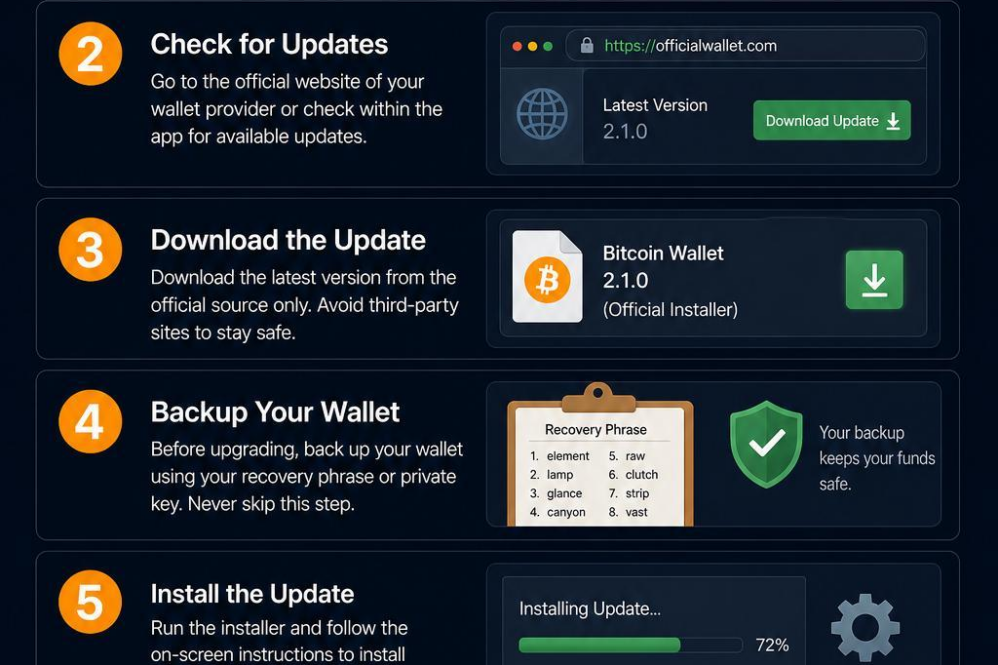
Upgrading your Bitcoin wallet is a crucial step to ensure you benefit from the latest security features, improved user interfaces, and enhanced functionality. Begin by backing up your current wallet’s private keys and seed phrases in a secure location; this is your safeguard against any accidental data loss during the upgrade process. Next, research and select the updated wallet version or a new wallet provider that aligns with your security and usability preferences. Always download wallet software from official sources to avoid phishing scams or malware.
once you have installed the upgrade or new wallet, carefully import your saved private keys or seed phrase into the request. Verify that all your Bitcoin addresses and balances appear correctly before proceeding. It’s advisable to perform a small test transaction after the upgrade to confirm everything is functioning smoothly. regularly updating your wallet not onyl protects your assets but also gives you access to new tools such as multi-factor authentication, hardware wallet integration, and faster transaction speeds.
| Upgrade Step | Best Practice | Common Pitfall |
|---|---|---|
| Backup Wallet Data | Use encrypted offline storage | Relying solely on cloud backups |
| Select Wallet | Choose wallets with regular updates | Using outdated or unsupported apps |
| Import Keys | Double-check seed phrases for accuracy | Entering keys on unsecured devices |
| Test Transactions | Send minimal funds first | Assuming upgrade was triumphant without testing |

Create your Nostr Profile